FleetNav help

Questions and answers.

How to install the app and what to do if something goes wrong.

How to install FleetNav on Android

You can download the app from our website and install it on your phone yourself. It is straightforward and safe.

  1. Download the app to your phone. If a warning appears, tap Download anyway.

  2. Open the downloaded file and allow installation:

    On Android 9 and later: a warning will appear — tap Settings and allow installation from your browser. Return to the file and tap Install.

Done! You can now use your familiar app. To update it, download the file again using the same link and follow these instructions.

Installation problems

Open this section only if something does not go as expected.

Google Play Protect shows a warning

Follow the instructions for the dialog shown on your device.

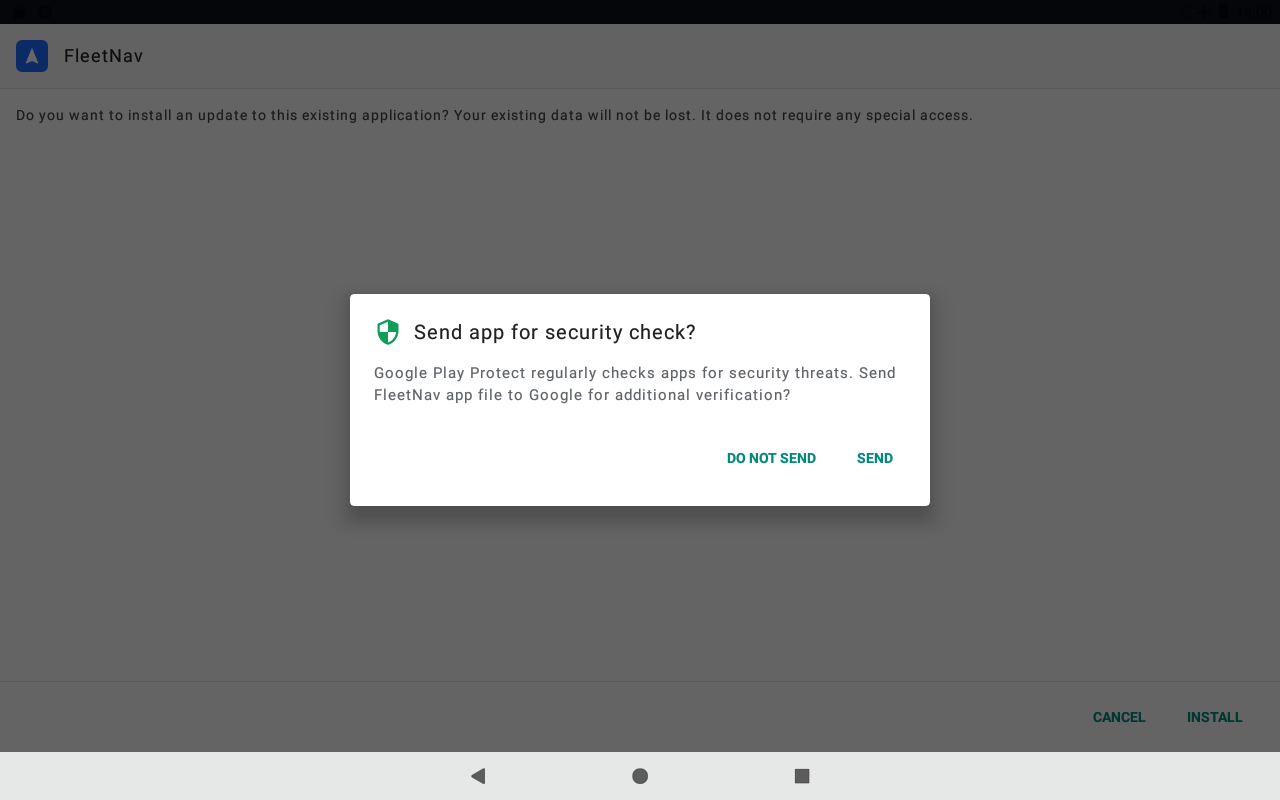
“Send app for scanning?”

  1. Tap “DON’T SEND” at the bottom of the dialog.
  2. Continue by tapping “Install”.
“Send app for scanning?”Enlarge screenshot
App interface

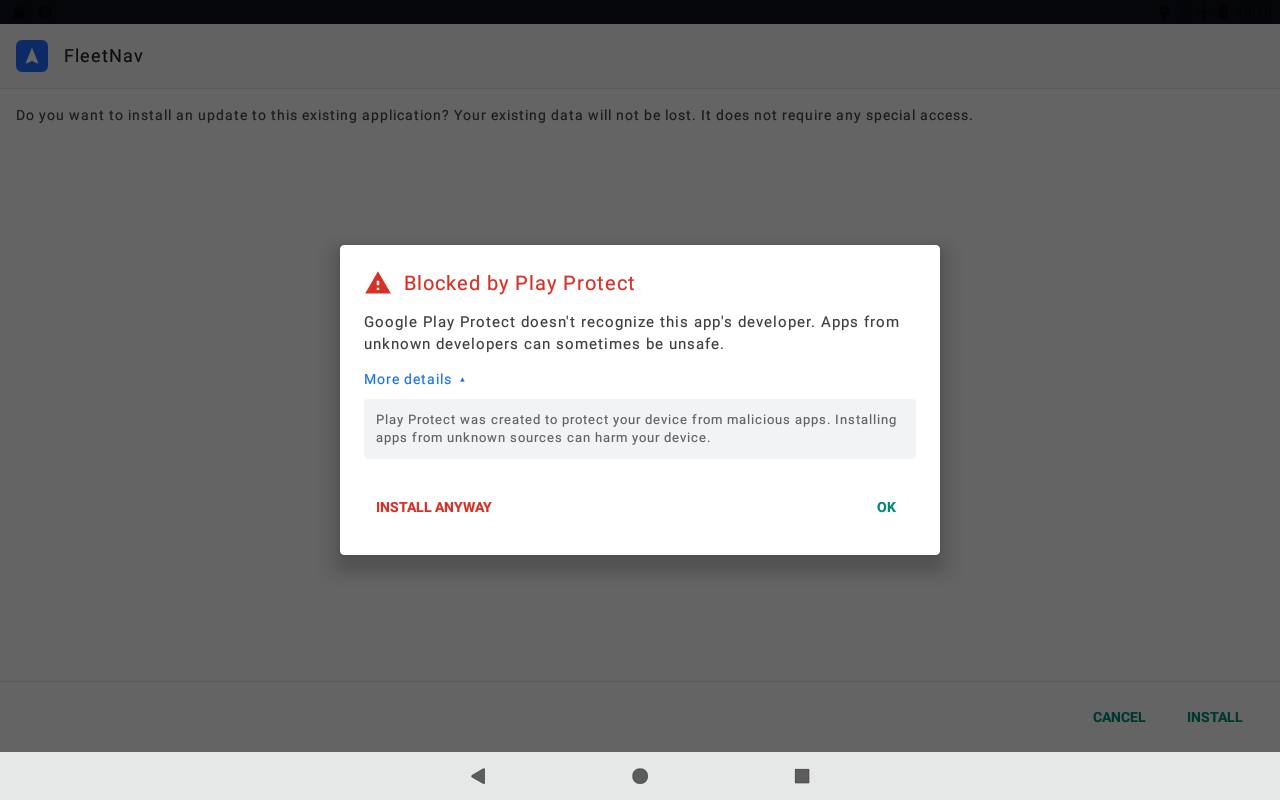
“Blocked by Play Protect”

  1. Tap “More details” to reveal additional actions.
  2. Tap “Install anyway” or “Install anyway (unsafe)”. The “OK” button closes the dialog; it does not continue installation.
“Blocked by Play Protect”Enlarge screenshot
App interface

When “App installed” appears, tap “Open” to launch FleetNav.

If installation stopped after you tapped “Send” or “OK”, reopen the downloaded APK in Downloads and follow the instructions for the dialog that appears.

My activation code is not accepted

Check the characters or paste the code from your message. If the code is linked to another device, contact the administrator who provided it.

There is not enough space for maps

Free up storage on your device. If FleetNav offers a storage selection, you can choose an SD card with enough free space.

The download was interrupted

Check your Wi-Fi and return to FleetNav. Follow the message in the app: wait for the download to resume or retry.

Your activation code, within reach

Get an activation code and enter it in the app.

Get a code